Practice management for medical practices
Clinic
The calm centre of your practice.
Patient records, appointments and billing in one secure app, on your own PC.
One-time purchase, no subscription. Linked to your Maniac ID, for up to 5 PCs. Requires Maniac OS 1.0 or later. VAT is calculated at checkout.
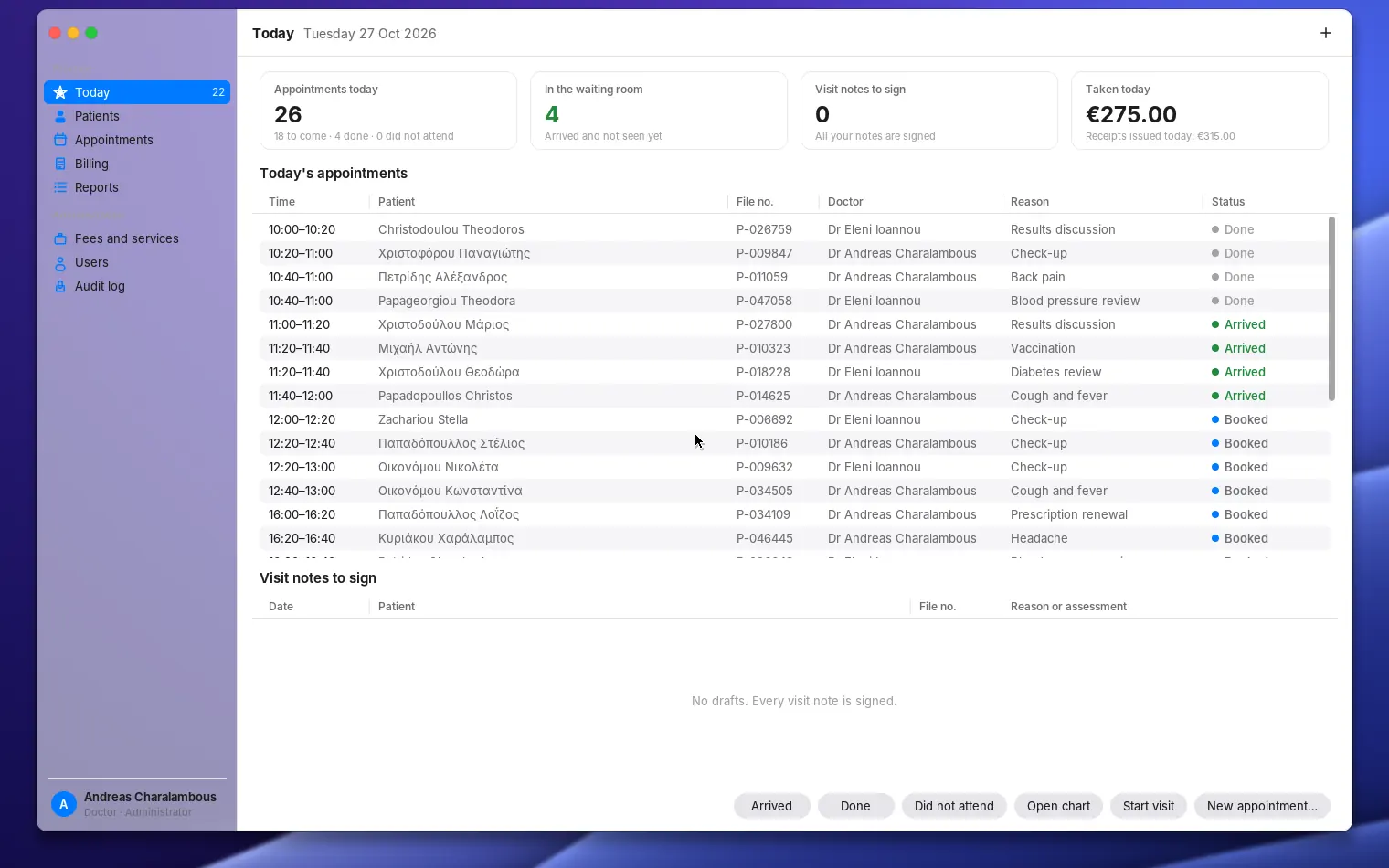
Everything your practice runs on.
Patient charts
- Visit notes, problems, medications and allergies
- Vital signs, lab results, letters and documents
- Family and social history
Visits
- Structured visit notes and templates
- Prescriptions with allergy warnings
- Referral letters and medical certificates
- Sign notes, add addenda
Appointments
- Day and week views per doctor
- Booked, arrived, done, did not attend
- Waiting room at a glance
Billing
- Fees and services list
- Receipts, ready to print
- Outstanding balances and daily takings
Security
- Encrypted database on your own PC
- Users with roles: doctor, reception, administrator
- Tamper-evident audit log you can verify
Your data, your control
- Backups and restore
- Export patients as CSV
- Lock and log out with one shortcut
Clinic keeps all patient data on your PC, encrypted — it isn’t sent to us. Clinic is practice management software, not a medical device; the practice remains responsible for its records and for data protection. The patients in the screenshots are made up.
A closer look.
Real screenshots. Select one to see it larger.
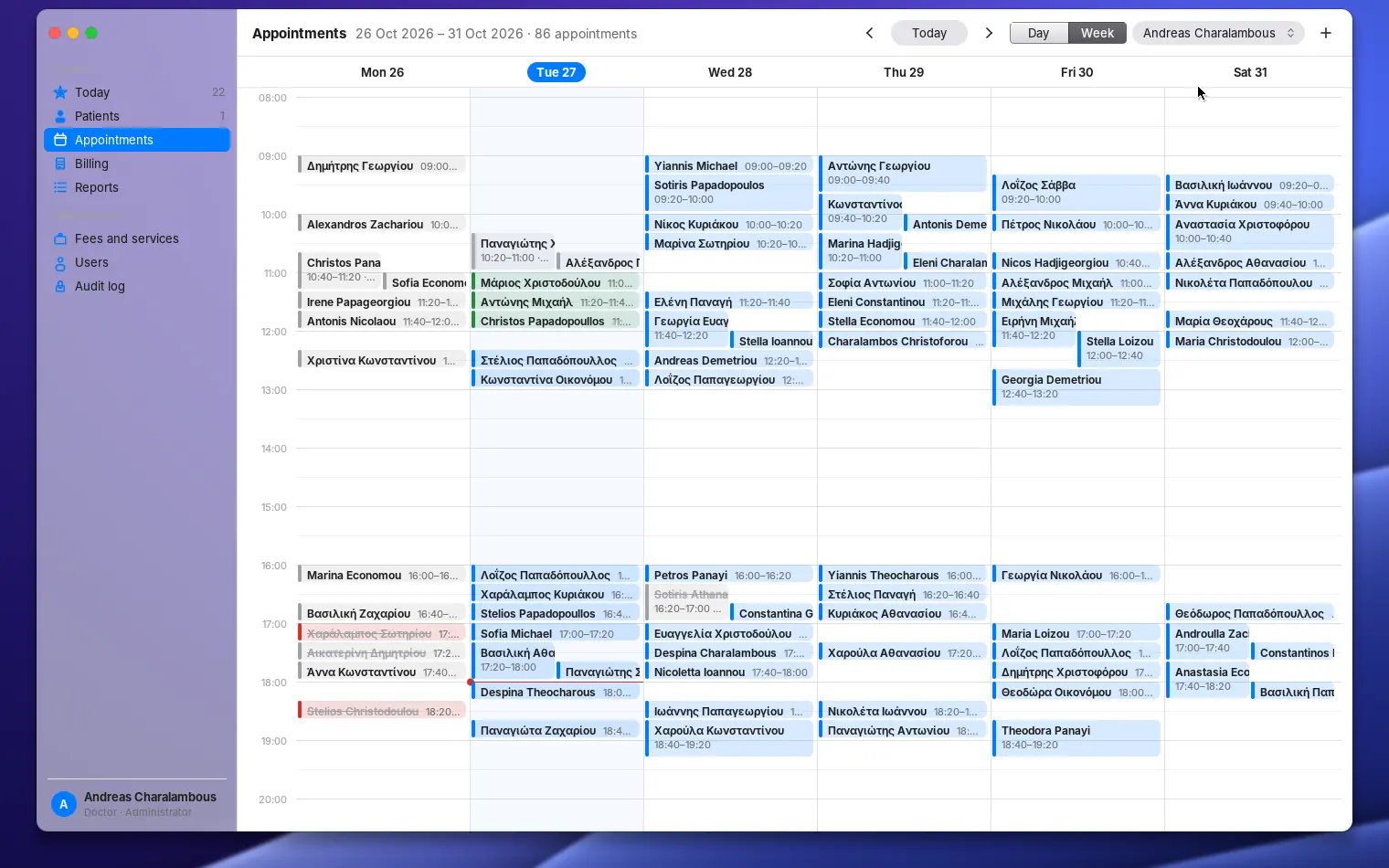
A doctor’s week of appointments 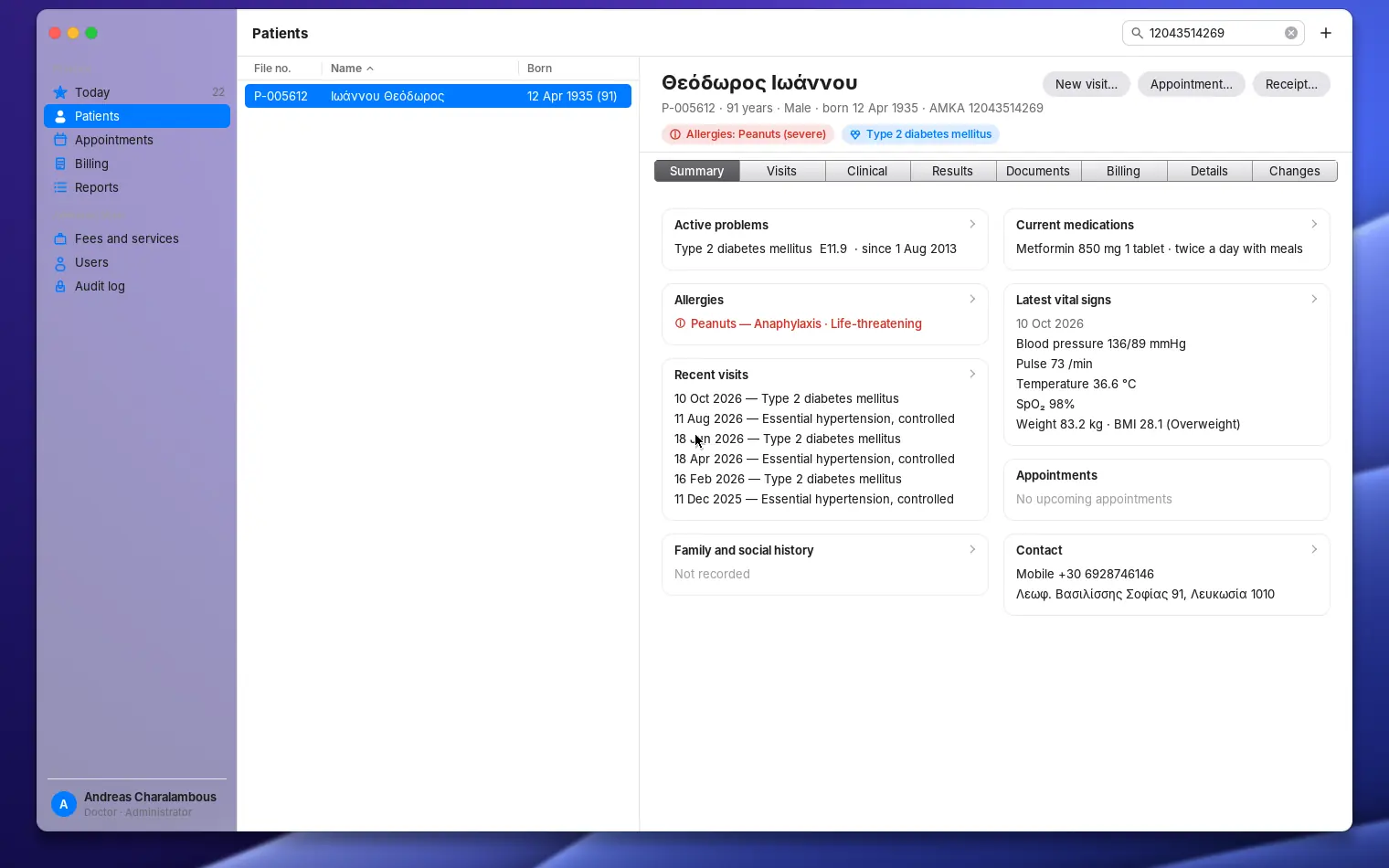
A patient chart with problems, medications, allergies, vital signs and recent visits 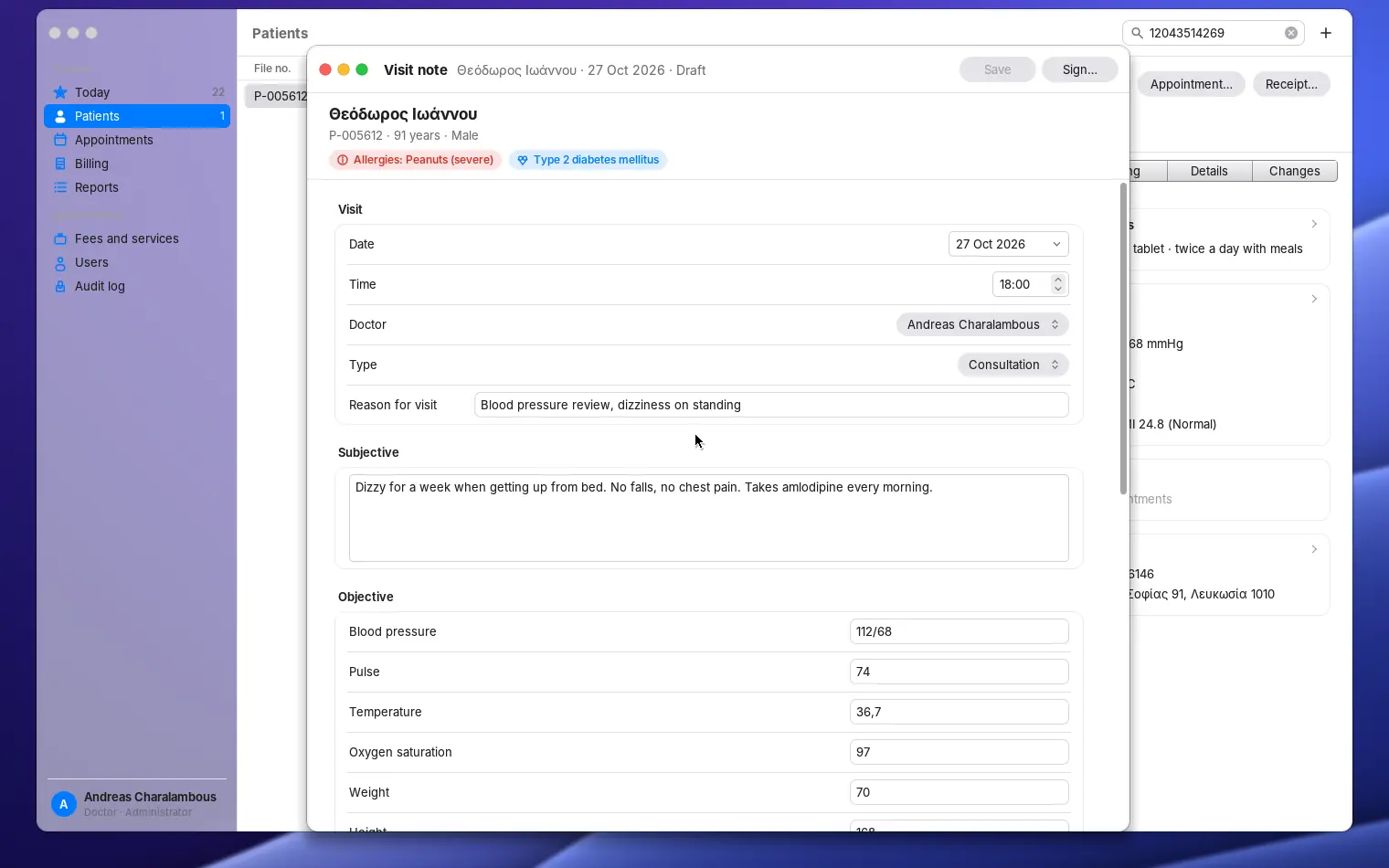
Writing a visit note 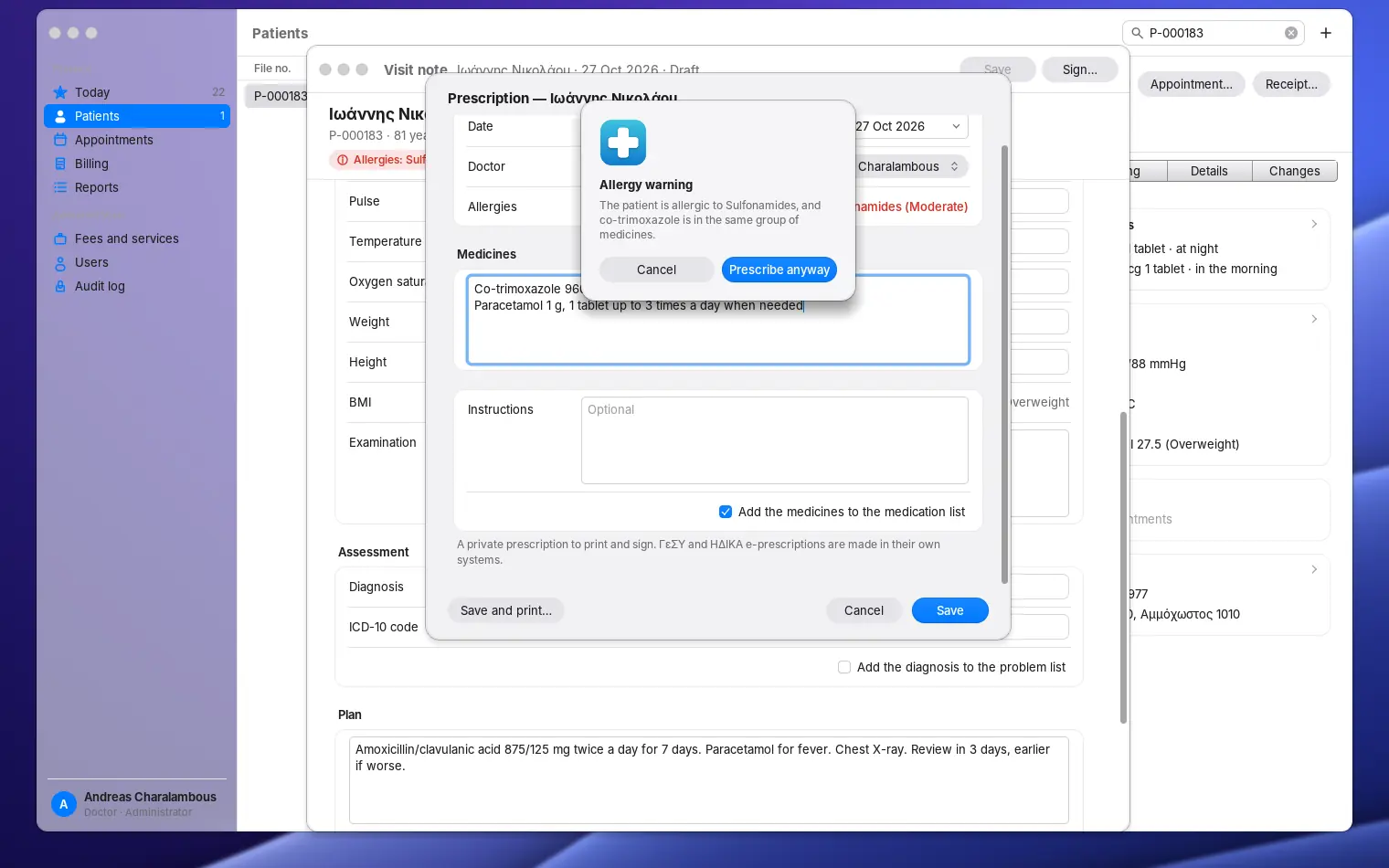
An allergy warning while writing a prescription 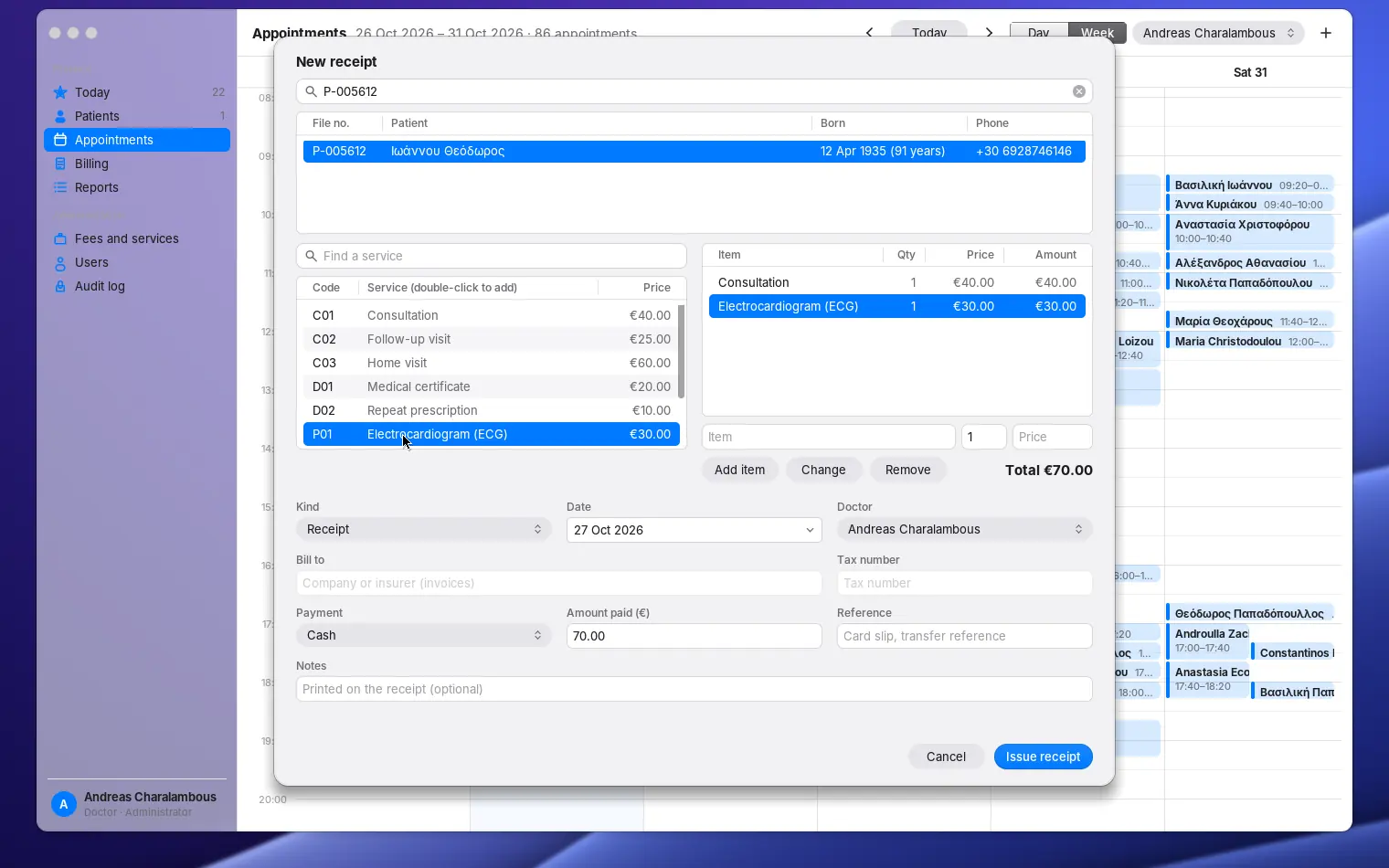
Issuing a receipt from the list of fees 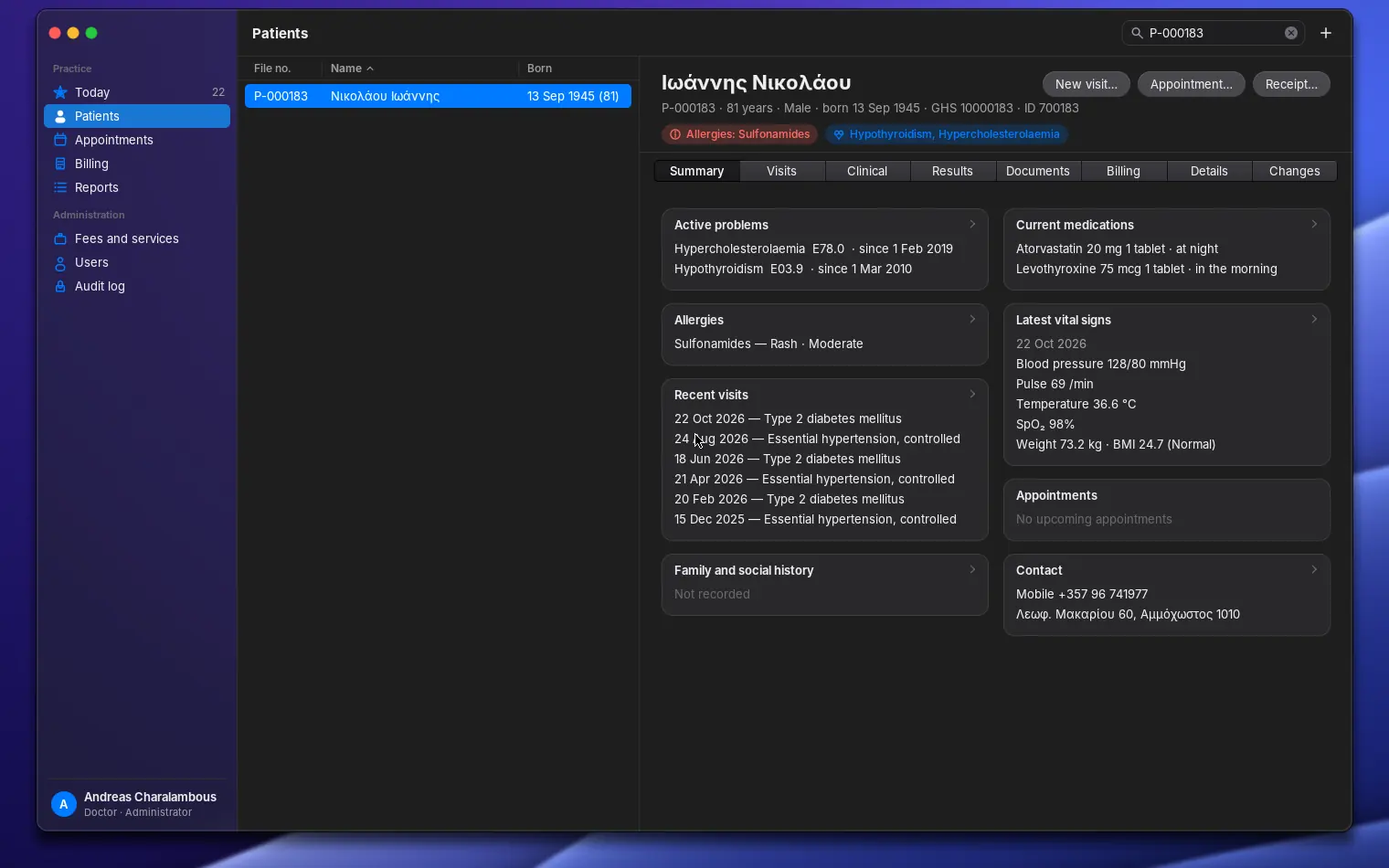
A patient chart in the dark appearance
Tech specs
What you get, and what you need.
| Price | €50 — One-time purchase, no subscription. Install on up to 5 PCs signed in with your Maniac ID. |
|---|---|
| Category | Practice management for medical practices |
| Requires | Maniac OS 1.0 or later. A Maniac ID and an internet connection to buy and install it; after that it works offline. |
| Your PC and files |
|
How buying works
You buy each app once. It belongs to your Maniac ID, not to one computer.
Secure checkout
Payment is handled by Lemon Squeezy, our reseller. Pay by card or other local methods; VAT is worked out for your country.
Tied to your Maniac ID
Use the same e-mail address as your Maniac ID. The purchase appears in your account by itself.
Up to 5 PCs
Install your apps on up to 5 of your own PCs from Store › Purchased. No licence keys to type.
Runs where it’s installed
Each app is a signed, encrypted .mapp that runs only on Maniac OS, on the PC it was installed on.